You might have your eye on a Roomba, but they can be pricy. Or maybe you want to try out another model.
Roombas are cool enough to excite any neat freak, but they might break the bank. We’re here to help. In this guide, we’re going to show you some of the best Roomba alternatives.
These vacuums are still convenient, effortless and will revolutionize your vacuum routine.
- Powerful suction
- Safety features
- Various accessories
- Multi-room
- Automatic suction control
- Triple filter system
- Five cleaning modes
- 120 minutes runtime
- Safety features
- Tangle-free brush
- Durable battery
- Max mode for deep cleaning
- Alexa and Google assistant compatible
- Ecovacs app to control from work
- Four cleaning modes
Review Methodology: At Oh So Spotless, we prioritize providing you with reliable and thorough information on the best Roomba alternatives. Our team of professionals conducts extensive research, data analysis, and hands-on testing to evaluate and compare each product based on key decision-making factors, such as performance, design choices, user experience, and value. We assess products from a user’s perspective and share quantitative measurements of their performance, identifying what sets them apart from competitors. In our evaluation, we consider the most important criteria, such as cleaning capabilities, battery life, navigation technologies, smart home integration, and maintenance requirements. By offering first-hand supporting evidence and ranking each product based on these factors, we aim to help you make an informed decision when choosing the perfect robotic vacuum for your home.
The Best Roomba Alternatives of 2024
Check out these five excellent Roomba alternatives.
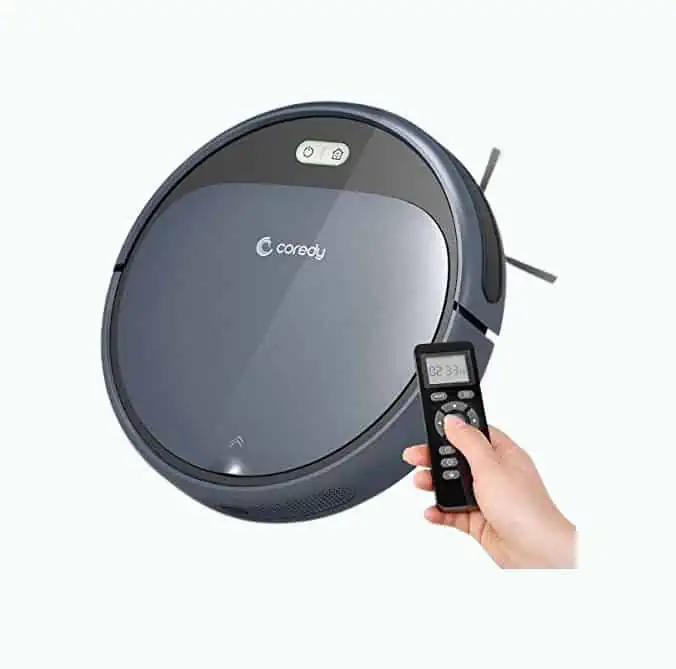
Coredy R300 Robot Vacuum Cleaner
Best All-Rounder Roomba Alternative
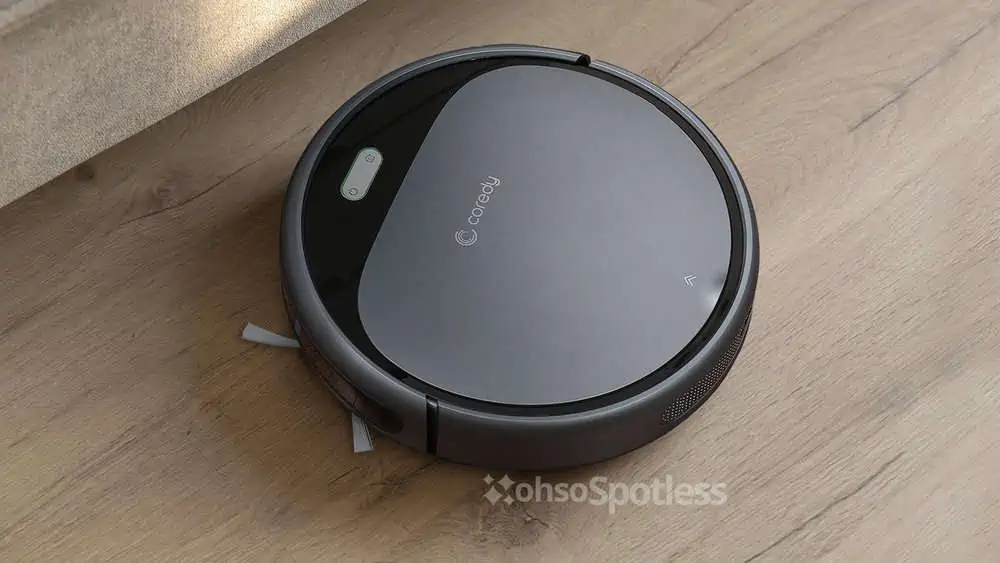
This vacuum has almost everything you need to make the most out of robotic vacuuming. Its list of features is impressive, and customers love it, as do we.
For starters, it has powerful suction at 1400 Pa — more than most other robot vacuums. It can pick up dust and stubborn dirt or debris and has up to 110 minutes of run time.
In terms of its functionality, this is a multi-floor machine. Its auto-adjust features know which brushes, height, and suction to use depending on whether your floor is hard or carpeted.
Its anti-collision technology prevents unnecessary hits, and it has anti-drop technology to keep it safe from stairs. The pressure-sensitive bumper assists in navigation, so it won’t have trouble finding its way around your furniture.
What We Like
Control It Remotelly
Sit back, relax and control the robot with a remote control. It even has a timer so you can schedule cleans.
We love that it self-charges, so you really only need to be there to empty the dustbin.
Seamlessly Switches Floor Types
The Coredy R300 has no trouble switching from hard floors to carpets, and has been designed to roam seamlessly between the two. It’s best suited for medium-pile carpets.
There are four cleaning modes to choose from: auto-cleaning, edge, spot, and low noise.
Various Accessories
We like that this one comes with a great selection of useful accessories. The four side brushes and cleaning brush add more power to your cleaning. This vacuum also comes with everything it needs to run — even the remote’s batteries.
It also comes with two filters, one of which is high-efficiency. These filters make it an excellent choice for those with allergies too.
What We Don't Like
Not Suitable for Pet Homes
We’ve noticed that customers aren’t satisfied with this machine when it comes to pet hair. It doesn’t have an under-side brush, so it’s ineffective at collecting hair from carpets.
It’s Noisy
This machine won’t deafen you, but it’s louder than most other robot vacuums. It could be due to the extra suction, so we won’t judge it too harshly on this.
Product Specs
| Suction | 1400 Pa |
| Dimensions | 12.8 x 12.8 x 2.7 inches |
| Weight | 9 pounds |
| Special features | Auto-adjusting height, anti-collision technology, anti-drop technology |
| Accessories | 4 side brushes, cleaning brush, extra high-efficiency filter, charging dock, adapter, remote control, batteries |
Our Ratings
User Experience
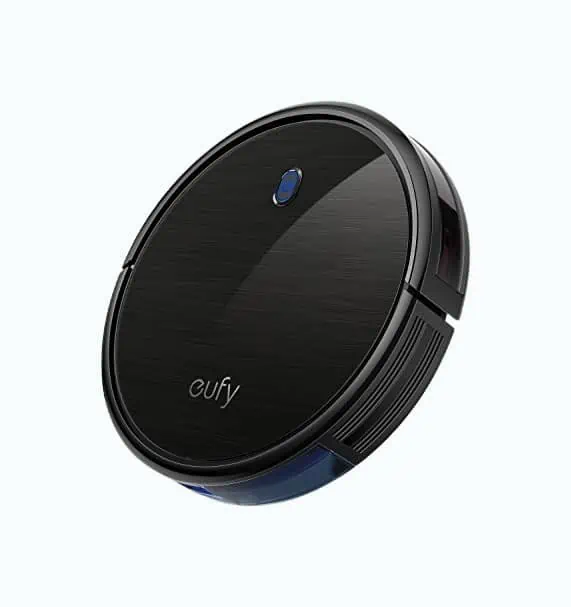
Eufy RoboVac 11S Robot Vacuum Cleaner
Best Smart Robot Roomba Alternative
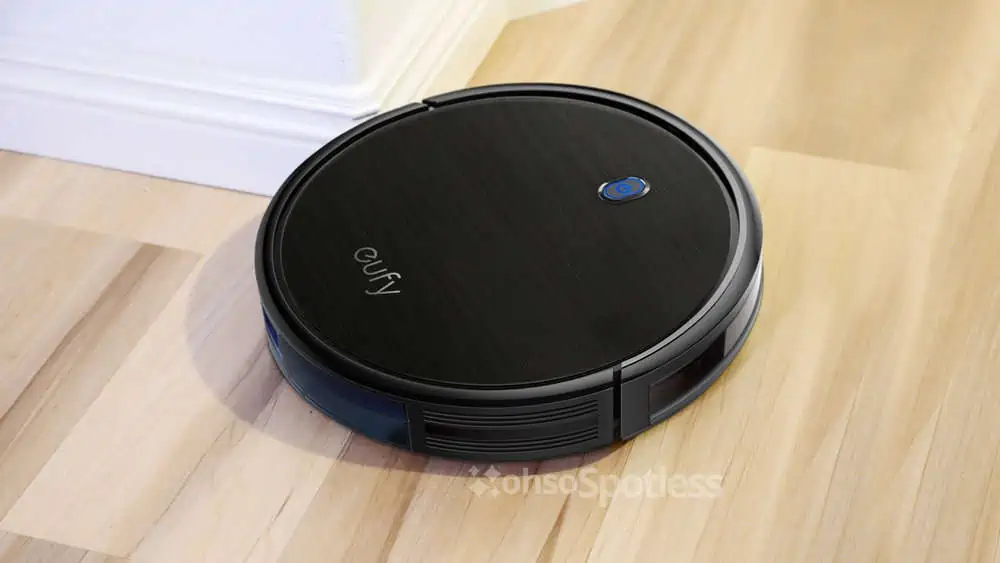
Back in 2018, this machine won the Best Robot Vacuum award, which says a lot about its usability and sophistication. This is an upgrade to a previous model with better specs. The dustbin is bigger, the suction is stronger, and the build is more compact than before.
Eufy’s exclusive BoostIQ technology automatically adjusts the suction to prevent damage to hard floors. It works fast too. This function kicks in within two seconds.
This vacuum is a self-charging machine that won’t have trouble finding its way home. It can climb over low steps and door ledges too, making it a multi-room vacuum.
It can clean in bouts of 100 minutes and makes very little noise. Several included safety features prevent it from crashing and falling.
What We Like
Multi-Room Travel
We love that this vacuum can find its way over door ledges and small steps. Other robot vacuums might be confused by this and can’t be set up to enter different rooms. This handy feature means spending less time setting it up or keeping tabs on it.
Automatic Suction Control
This is an excellent feature since this vacuum is meant for hardwood floors. You don’t have to control the suction of this machine. It detects how hard it should clean your floors and adjusts its suction in a second.
It will preserve the condition of wooden floors by preventing abrasions on the surface.
Triple Filter System
This is great if you are sensitive to dust, pet hair, or other allergens. The triple filter system leaves your floors and the air cleaner. We think it’s a lovely courtesy that you get an extra filter thrown in as well.
What We Don't Like
Not Intended for Carpets
Designed for hardwood floors, this machine won’t do well on carpets or rugs. This isn’t a deal-breaker for us, but it could be inconvenient for folks with multiple floor types.
Not Suited for Small Homes
Don’t get us wrong; you don’t need a mansion to accommodate this machine. The only problem is that it won’t charge unless it has at least six feet of free space around it. Not everyone has that amount of space.
Product Specs
| Suction | 1300 Pa |
| Dimensions | 12.8 x 12.8 x 2.85 inches |
| Weight | 5.73 pounds |
| Special features | Automatic suction control, anti-crash technology, anti-drop technology, quiet clean |
| Accessories | Four side brushes, cleaning tool, charging base, adapter, remote control, batteries, Five cable ties, extra filter |
Our Ratings
Personal Perspective
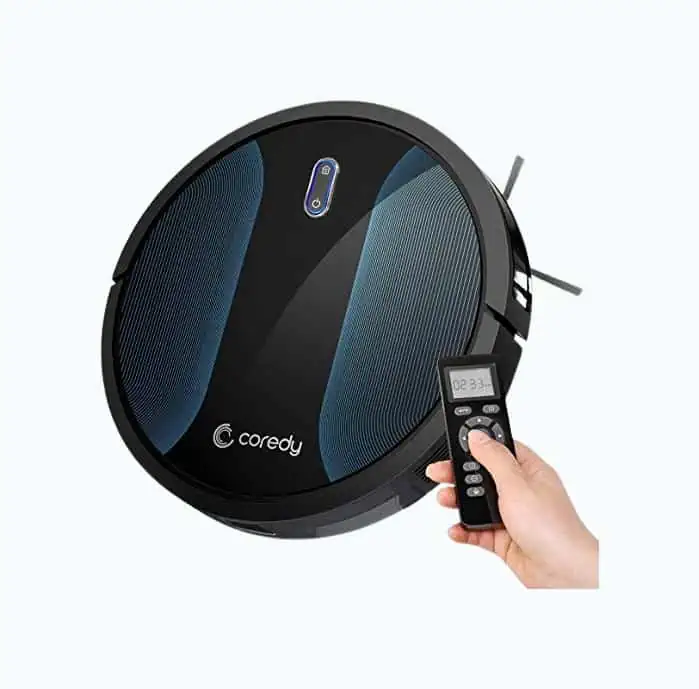
Coredy R500 Robot Vacuum Cleaner
Best Roomba Alternative for All Surfaces
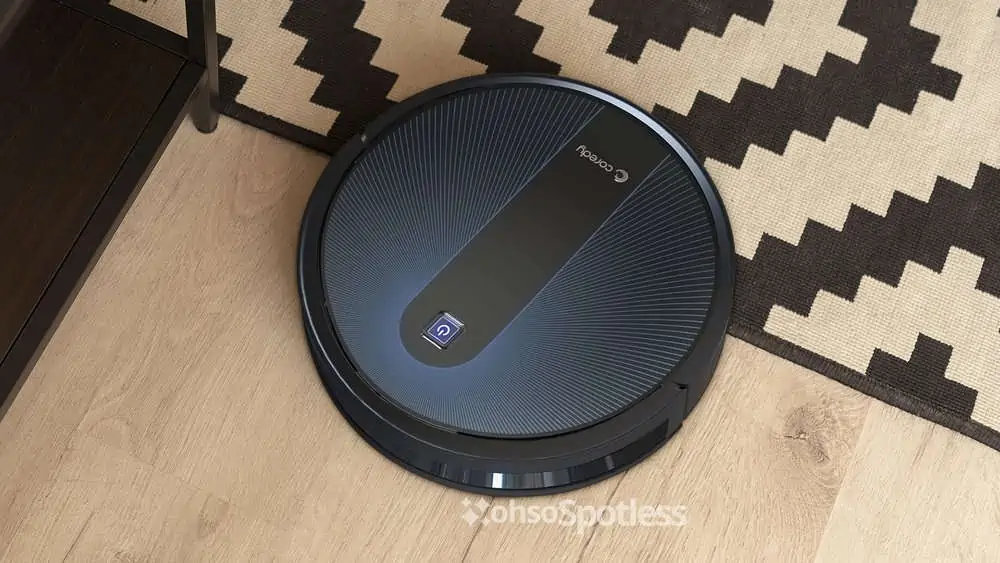
We have to give Coredy another spot on this list. This model is just as impressive as the first, with similar features.
Its suction is on par with our top pick, sitting at 1400 Pa. It’s a quiet but powerful machine. You can control the suction with the remote control, which we think is cool.
This little guy can clean for up to 120 minutes at a time, and you can run it on both carpets and hard floors. It’s got five different modes to suit floors and fabrics of varying toughness. It hasn’t left out the protective features — you still get the anti-collision and anti-drop technology.
One difference between this and the previous model is that this doesn’t have a dual filter. It still has a high-efficiency one, though.
What We Like
Five Cleaning Modes
Having a say in how your vacuum cleans is always appreciated. The five modes are better for your floors, whether it’s automated or controlled with the remote.
These modes include Max vacuuming, single room cleaning, manual cleaning, spot cleaning, and edge cleaning.
Choosing the right setting ensures better cleaning while protecting your floors.
Suction Control With Remote
There are quite a few robot vacuums without suction control, so we think that this is a great feature. You can easily adjust how hard your vacuum works with the remote. This may give your surfaces extra protection or help to combat stubborn dirt.
With the remote, you can also schedule cleaning, which is handy.
All Bundled In
When this arrives, you’ll find a few extra items included. Not only do you get the main brush and four side brushes on the vacuum. But you’ll also find a remote control, batteries, charger, an adaptor, and a docking station.
What We Don't Like
It Struggles with Fine Dirt
We noticed that this vacuum is better at picking up stubborn dirt and debris than fine dirt. This is a handy feature in messy and pet-friendly homes. However, it could prove frustrating to those looking for light cleaning abilities.
It Might Get Lost
A few customers have complained that this robot loses its way, panics, and then spins around aimlessly. We can blame this on the fact that it’s better suited for smaller homes and a wider range confuses it.
Product Specs
| Suction | 1400 Pa |
| Dimensions | 12.6 x 12.6 x 2.8 inches |
| Weight | 9 pounds |
| Special features | Suction control, anti-collision technology, anti-drop technology |
| Accessories | Four side brushes, a main brush, charging dock, adapter, remote control, batteries |
Our Ratings
Community Feedback
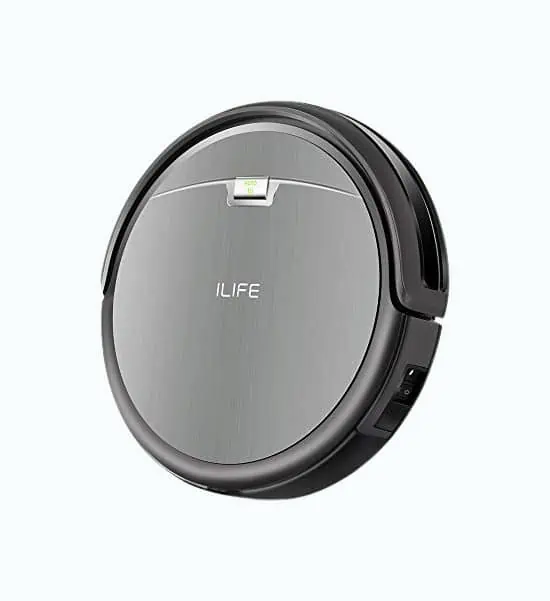
ILife A4s Robot Vacuum Cleaner
Best Roomba Alternative for Pets
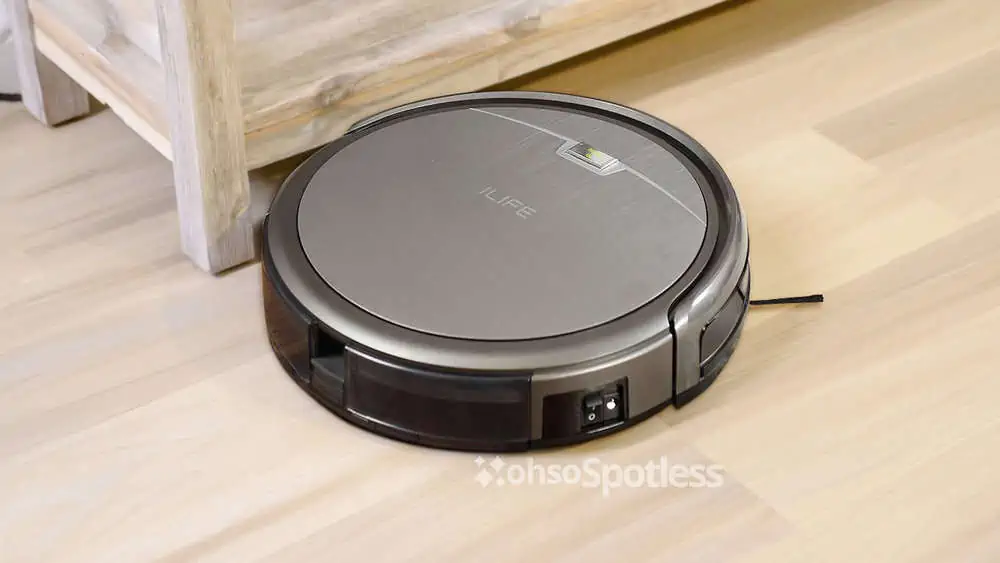
If you’re looking for a robot vacuum that will effectively deep clean your pet-friendly home, give this one a try. It’s engineered to last long and provide you with control of its cleaning.
It’s a convenient machine too. You can leave it to its own devices or program it to a schedule. It’s self-charging, and one of its defining features is that the battery will last for 140 minutes of run time.
The vacuum uses the Gen 3 CyclonePower system to boost its suction for deep cleaning. It includes a tangle-free brush roller that works well on carpets — extra useful for pet owners. If you need a boost for stubborn dirt, switch it to Max mode.
What We Like
Anti-Bump and Anti-Drop
This robot vacuum isn’t lacking in safety features. We love the anti-bump and anti-drop technology that help it navigate around your furniture.
It cleans efficiently under furniture and will effortlessly find its way around obstacles like shoes or potted plants.
Durable 140 Minute Battery
The battery on this machine lasts longer than most others on the market. With a 140 minute run time, you’ll be super impressed by this vacuum.
This is especially handy if you have a large room that needs more time. It’s self-charging and automatically returns to its station if the battery runs low.
Max Mode for Big Messes
We like that you can boost this machine if you’re tackling a stubborn mess or going beyond light cleaning. Combine that with the long-lasting battery, and you have a machine that works well, even for deep cleaning.
What We Don't Like
Doesn’t Work on All Carpet
While this is a good vacuum for carpeted floors, it’s designed to clean thin carpets with its bristle brush. Thick carpets and dark-colored flooring can prove difficult for this machine.
It Could Harm Your Floors
Since this machine focuses on concentrated cleaning but has no self-adjusting features that we can see, it might harm sensitive surfaces. To avoid this, be careful with the Max mode and keep an eye on the vacuum.
Product Specs
| Suction | 1000 Pa |
| Dimensions | 12.2 x 12.2 x 3 inches |
| Weight | 4.9 pounds |
| Special features | Max mode, anti-bump sensor, anti-drop sensor |
| Accessories | Tangle-free brush roll, a set of side brushes, cleaning tool, charging dock, adapter, remote control, batteries, extra filter |
Our Ratings
First-Hand Impression
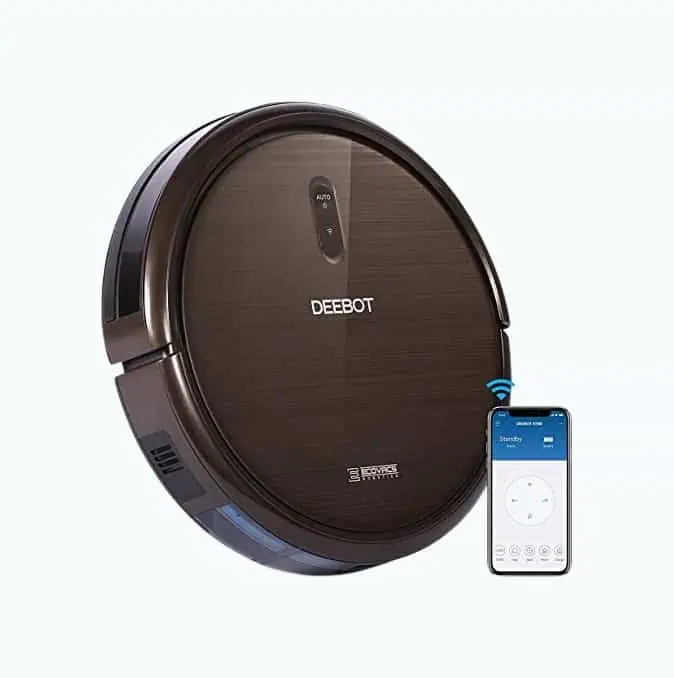
Ecovacs Deebot N79S Robot Vacuum Cleaner
Most Convenient Roomba Alternative
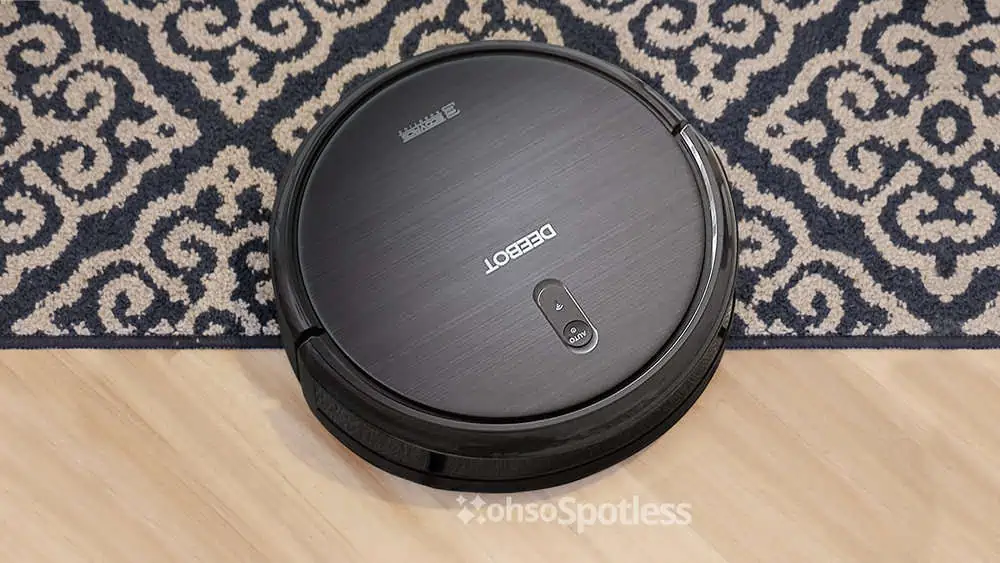
We’ve chosen this model as the most convenient because it is easy to control. You can use it through Alexa and Google Assistant or the Ecovacs app. The latter gives you five cool features: scheduling, controls, cleaning modes, and updates on the machine and its accessories’ status.
This machine has four cleaning modes. Auto will take care of your entire floor, Edge pays attention to boundaries, and Spot will focus on a concentrated area. Max mode doubles the suction in case of stubborn dirt.
With 110 minutes of runtime, it returns to its post automatically when its battery runs low, and is self-charging.
This vacuum includes four side brushes, the main brush, a cleaning tool, and a high-efficiency filter. You’ll also get a remote control with batteries and a charging dock.
What We Like
Alexa and Google Assistant Compatible
This vacuum is an excellent choice if you have an AI home assistant. Its compatibility with Alexa and Google assistant spells less hassle for you. The voice commands mean that you truly won’t have to lift a finger to operate it.
Ecovacs App Compatible
Even if you don’t have a virtual assistant, you won’t miss out. The Ecovacs app gives you access to remote control and status updates to your machine and its accessories. This makes maintenance a whole lot easier.
We love this because you can start up the vacuum while you’re busy at work.
Four Cleaning Modes
The modes on this vacuum are specific and helpful. You can adjust it to one particular area of your floor, which means less confusion from your vacuum. We also like the Max mode when you need double the power.
What We Don't Like
Not Updated
Some customers note that though it’s Alexa and Google Assistant compatible, the commands are somewhat outdated.
Single Floor Machine
This little vacuum doesn’t do so well when switching from one floor to another. If your floors aren’t level, it won’t travel seamlessly and may get stuck.
Product Specs
| Suction | 1300 Pa |
| Dimensions | 33 x 33 x 7.8 inches |
| Weight | 7.05 pounds |
| Special features | Ecovacs app, Alexa, and Google Assistant compatible |
| Accessories | Tangle-free brush roll, a set of side brushes, cleaning tool, charging dock, adapter, remote control, batteries, extra filter |
Our Ratings
User Experience
| Product | Best | Suction | Dimensions | Weight |
|---|---|---|---|---|
| Coredy R300 Robot Vacuum | All-Rounder | 1.4 kPa | 12.8″ x 12.8″ x 2.7″ | 9 lbs |
| Eufy RoboVac 11S | Smart Robot | 1.3 kPa | 12.8″ x 12.8″ x 2.85″ | 5.73 lbs |
| Coredy R500 | For All Surfaces | 1.4 kPa | 12.6″ x 12.6″ x 2.8″ | 9 lbs |
| ILife A4s Robot Vacuum | For Pets | 1 kPa | 12.2″ x 12.2″ x 3″ | 4.9 lbs |
| Ecovacs Deebot N79S | Most Convenient | 1.3 kPa | 33″ x 33″ x 7.8″ | 7.05 lbs |
Why Should You Buy a Robot Vacuum?
In 1996, Electrolux released the first-ever robot vacuum cleaner, called the Electrolux Trilobite (1). Homemakers everywhere were charmed by (and maybe even a little afraid of) its futuristic technology.
Perhaps hype is why robot vacuums, particularly the Roomba, took center stage. But no matter the brand, there are some fantastic reasons people opt for a robot vacuum over other types.

Robot Vacuums Require Little Effort
The greatest appeal of robot vacuums is that they do chores for you. They put a stop to the sweating and straining, and time-consuming effort that comes with cleaning your floors.
With many models, you don’t even have to be at home to use them. You can schedule most models to automatically get going without further intervention from you.
Some robot vacuums can even gauge how vigorously to clean, according to how dirty your floor is. Except for setup and maintenance, you don’t have to lift a finger.
Maintenance Is Easier
We’d love to tell you that you’ll never have to fuss over a robot vacuum, but it will still demand a little bit of your attention. That said, maintaining a robot is so much easier than with traditional vacuums.
Since they have a mind of their own and could experience a few bumps along the road, they’re built to last. They’re not as likely to break, fail, or burn out, and their quality overall is superior. Robot vacuums are also far easier to empty than traditional vacuums.
Plus, most of their functions are automated, so you won’t have to spend time fiddling with attachments or settings either. Sure, you may have to rescue it from a dark corner every once in a while, but that beats manually vacuuming any day.

They’re Better for Pets
Traditional vacuums can be loud, and we’ve seen many animals who can’t handle their loud sound. Robot vacuums, however, make much less noise so that they won’t frighten your pets.
Robot vacuums also give humans more peace and quiet since they won’t distract you from your work, studying, or rest.

They’re Greener Than Traditional Vacuums
You don’t have to plug robot vacuums in to use them. Instead, most robot vacuums are self-charging. They’re an energy-saving solution that will spare you money too.
Some of them do have disposable bags, which defeats the purpose of going green. But they’re still better for the environment. Plus, robot vacuums tend to have bigger dust bags that won’t need replacing as often as with traditional vacuums.

They’re Healthier (and More Accessible)
One of the worst things about traditional vacuums is that they can hurt your back. Back strain is a common problem, and the more you clean, the more at risk you will be.
Since you don’t have to operate robot vacuums manually, this won’t be a problem.
Another benefit that stands out is that they’re perfect for those who physically can’t clean. If you’re injured, sick, or disabled, robot vacuums take on a whole new level of usefulness. They’re also much better for allergies, with many incorporating HEPA filters (2).

They Take Up Less Room
Traditional vacuums can be heavy, chunky, and difficult to store. Storing robot vacuums is easy, thanks to their compact size. Storage won’t require any heavy lifting or dismantling either.
This is a huge advantage for people with smaller homes or limited space. They’re portable too, should you ever need to carry them with you.
How to Choose a Roomba Alternative
The advantages we mentioned aren’t exclusive to Roombas. Most, if not all, robot vacuums function the same way.
Before you buy a Roomba alternative, consider these important details to make sure it’s right for you.

Are You Tech Savvy?
Your proficiency with technology might influence the model you choose.
Some robot vacuums are operated with a simple remote control. Others communicate with smartphones or even AI assistants, like Alexa. Often, you may have to set up your robot’s communication first.
If you get one that works with a smartphone app, you have the extra convenience of controlling the device when you’re not at home.

What Do You Need It For?
As with any vacuum, what you need to clean matters. Some robot vacuums are better for hard floors, while others are better for carpets. Likewise, some are better for pet hair and dander, while others work more effectively on dust.
Pay attention to the capabilities of the vacuum you want. It will impact how well it cleans your home, and you wouldn’t want to waste money on one that’s inefficient.

Will Your Home’s Layout Accommodate One?
Robot vacuums work by sensors. So, if your home contains a lot of furniture, its navigation could leave spots uncleaned. You must also consider the robot’s size if you want it to clean under your furniture (3).
Smart as robot vacuums are, programming them to handle stairs simply isn’t possible right now. But don’t worry too much about them tumbling down your steps. Their sensors will pick up on boundaries to prevent them from falling.
If you have a multi-story home, it shouldn’t stop you from buying a robot vacuum. That’s if you don’t mind buying (or continuing to use) a traditional vacuum cleaner alongside your robot.

How Much Are You Willing to Spend?
Not going for a Roomba doesn’t mean you should cheap out entirely. So, if the price of a robot vacuum seems too good to be true, it probably is. If you spend too little on one, you might find that it’s ineffective, faulty, or a hassle to use.
Ridiculously cheap robot vacuums are probably of lesser quality. They may not be as robust or have the same sophisticated technology that better brands do. Instead, go for something mid-range if you can. It won’t be overrated and will work just fine.
Prices range from $100 to $400, with around $180 being the average.
Will a Robot Vacuum Suit You?
We understand that you want the convenience, but it may cost you. Robot vacuums are nifty, but they’re not always needed. In some instances, you might find that traditional vacuums do more for you.
Before we show you our top picks of robot vacuums, have a quick look at some of their drawbacks.
- You have to vacuum-proof your home: Robot vacuums can sense walls, stairs, and furniture, but they can’t tell the difference between dirt and valuables. If it’s in your robot vacuum’s path, it will get sucked up.
- They have blind spots: These machines aren’t good at cleaning difficult spots, so they might overlook corners and other tight places.
- Some are unsuited to multiple rooms: Not every robot vacuum can be programmed to clean your whole house. You’ll have to take it one room at a time if that’s the case.
- They only work on level surfaces: If your floor is bumpy or uneven, many robot vacuums won’t be able to work around it. Lengthy, overlapping, or excessively fluffy carpets may be problematic.
- They could damage your cables: Robot vacuums can’t sense wires, cables, or cords. They will travel over them and could damage them. There’s also a chance that they’ll pull whatever is plugged in, and this could ruin or break your electronics.
Tips for Using a Robot Vacuum
Robot vacuums are easy to accommodate if you have the right space for them. These useful tips will make their cleaning go smoother and prevent mishaps if you’re not around to control your vacuum:
- Charge it fully before use: To get the most out of your battery, make sure your device is fully charged before you put it to work. Keep its charging port clean for efficient charging.
- Avoid damp spots: Robot vacuums and water don’t mix. Only use them on dry surfaces, and make sure water bowls are out of their way.
- Store them in mild temperatures: Excessive exposure to heat or cold could mess up your batteries. Store it somewhere cool, dry, and away from direct sunlight.
- Keep your charging station within reach: Robot vacuums are mostly self-charging, but they have to find their way to their charger. Leave your docking station where the robot will find it.
- Lift your furniture: Robot vacuums might struggle to navigate around or under chairs. You can make its job easier by placing your chairs on your tables. Letting them lean against walls or stacking them could help too.
- Protect your cables: There are various ways to keep your wires safe. Hanging them is best. Cable clips come in handy, or you can also line your shoes along them (with the laces tucked in). Otherwise, wrap them in a rug to hide them from your machine.
- Check your specs: You should do this regardless of which vacuum you buy, but some features aren’t necessarily standard in robot vacuums. For example, if you’re prone to allergies, make sure that your chosen model has an approved HEPA filter.
FAQs

Why are Roombas So Expensive?
Roombas are so expensive because they are smarter, have more features, and are more powerful than comparable competitor models.

How Many Years Do Robot Vacuums Last?
Robot vacuums should last between four and six years, depending on how well they are maintained. Replacing worn parts and regularly cleaning them may extend the lifespan.

Which Robot Vacuum Has the Best Mapping?
In our opinion, the robot vacuum with the best mapping is the Roomba S9. It uses smart mapping to learn the shape of your home, and it comes with a host of features that put other robot vacuums in the shade.

Which Robot Vacuum is the Quietest?
The quietest robot vacuum is the Enboya Robot Vacuum. It operates at a decibel rating of 52, which is equivalent to the noise of a microwave oven.

Are Robot Vacuums a Security Risk?
Robot vacuums are a security risk because they can be hacked. The Internet of Things (IoT) connects household devices with limited or zero security. This is an open-door to hackers, who use these devices to access home security and online information.