Washing machines are a staple in the household. However, over time parts will wear out, break, or slip causing your Maytag Bravo washing machine to malfunction, whether or not it includes Commercial Technology.
Here are some common issues you may find in top and front load washing machines. You’ll also learn the problems that are likely causing the issues and how to fix them in your Maytag Bravos washer.
Key Takeaways
- Common Maytag Bravos washer issues include not turning on, cycle problems, loud noise, and water problems.
- Troubleshooting steps include checking the lid switch, drive belt, motor coupling, and drain pump.
- To reset a Maytag washer, unplug it for 1 minute, then open and close the door 6 times within 12 seconds.
- Running diagnostics on a Maytag Bravos washer involves pressing and holding a console button in a specific pattern.
Maytag Bravos Washer Error Codes
Here are some common Maytag Bravos washing machine error codes you may run into and what they mean.
| Error Code | Meaning |
| oL | The load is too large and the machine is overloaded. |
| SD | Suds detected. |
| UL | The load is unbalanced. |
| F5 E2 | The washer can’t engage the lid lock because something is blocking it. |
| LD | Washer is taking too long to drain. |
| LF | Washer is taking too long to fill. |
| C0 | Slow spin to 23 rpm. |
| C1 | Hot & cold water valves open. |
Maytag Bravos Washer Problems
Do you need help with Maytag Bravos washer troubleshooting? Here’s a list of some common problems a washing machine may develop and where to start looking for the solution.
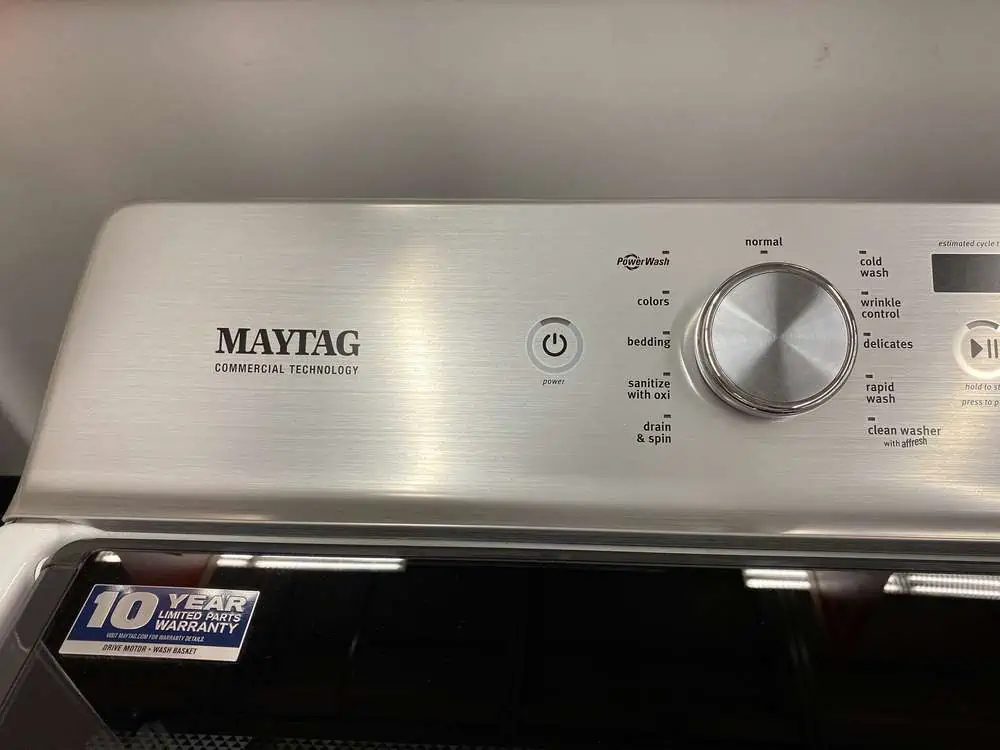
Turning On Problems
One of the most common problems with Maytag Bravo washing machines is when the machine will not turn on. Here are several causes and how to troubleshoot to find a solution.
Washer Stuck On “Sensing”
If your washing machine is stuck on ‘sensing’ this means that either the motor cannot engage with the chosen command or the lid won’t close properly.
This can be caused by a stuck or jammed keypad. It can also happen if you replaced a part and forgot to recycle the codes. You can solve the issue by resetting the codes through a diagnostic test.
Control Panel Not Working
Check the power connection. Make sure that your washing machine is plugged in and the household breakers are turned on. If your washing machine is getting power but is still not functioning, you may need to replace the display and control panels.
You can also check the control panel by pushing the buttons to test it. If some of the buttons don’t respond, then the panel and display board may be defective and will need to be replaced.
Won’t Turn On
When a washing machine won’t turn on, check to make sure that it’s plugged in and able to receive power. Then confirm that your outlet has an active fuse and the home circuit breaker is switched on. Plug in other appliances that you know work and see if they receive power from the outlet.
Also, check to make sure that the washing machine is plugged directly into the outlet. It needs to receive enough power to work, so a low-quality power cord will not transfer enough power to run the washing machine. If you must use a power cord, use one that is recommended by Maytag.
Cycle Problems
Washing machines can also develop cycle problems, such as a washer that won’t spin or may not drain. Here’s a list of the common issues you may find and how to troubleshoot the issue.
Washer Won’t Spin
A washing machine not spinning is frustrating; you end up with sopping wet clothing. If your washer isn’t moving into the spin cycle, check the lid switch which locks the lid. If the lid isn’t engaged, the washing machine won’t spin.
Clean the lid switch contact points by dipping a cotton swab into rubbing alcohol to remove all the dirt and lint that has built up.
If this doesn’t work, you may need to replace the lid switch.
Also check the door latch, as it can fail either mechanically or electrically. Look at the door latch and inspect it for signs of wear or damage. Then use a multimeter to test for continuity.
If you see physical damage or find no continuity, you will need to replace the door latch.
The next issue that may prevent your washing machine from spinning is the drive belt. If the drive belt is loose, worn out, or broken, your Bravos won’t be able to spin or agitate. Check your user manual to locate your drive belt and check it.
If it’s worn out or broken, you will need to replace the belt.
Another item that will need to be inspected is the motor coupling. If it’s worn out or broken, your washing machine won’t spin or agitate either.
Check the motor coupling to make sure that it’s in good shape. If not, you will need to replace it.
The motor control board is the main controlling unit that sends a signal to the motor telling it to start or not to start. If there’s a problem with the board, your washing machine won’t work well. Use a multimeter to check the control board to see if it’s sending signals to the motor.
If the control board fails the test, then you will need to replace it.
Washer Won’t Drain
Another issue that occurs with washing machines is that the water is not draining from the drum. The first thing you should check is the drain pump. It often becomes clogged.
Check the drain pump for any obstructions such as socks, buttons, and coins as well as clogs. Clean out the drain pump. Also, listen to the drain pump working. A noisy drain pump means there’s a problem with it and you will need to replace it.
A clogged hose will also prevent your washer from draining correctly. To check the hose, remove it and look inside. Remove all the obstructions you can find as the hose can easily get clogged with small items.
The hose can also become kinked, twisted, or bent preventing your washer from draining. If you see that the hose is kinked, straighten it out so that your washing machine can drain.
Also check the door lock motor and switch assembly as a washing machine will only work when the latch shuts and locks properly. In this case, your washer won’t drain if the door lock or switch malfunctions. Use a multimeter to check the lock for continuity and replace the mechanism if there’s none.
Check the water pump belt as well, as it can become worn out or broken over time.
Making Loud Noise
There are several issues that may cause your washing machine to make a loud noise. The tub bearing may be worn out or broken. You will need to take the washing machine apart to replace the tub bearing.
So if you need to replace it, replace both the inner tub and the outer tub bearings at the same time.
A cracked or worn-out drive pulley could also be behind the loud sound of your washing machine. Check the drive pulley for any damage and cracks. Replace it if you find any issues.
You will also need to check the drive belt which can be burned out or cracked. Again, inspect it for problems and replace it if needed.
The motor coupling connects the motor with the transmission, and normal wear will cause it to fail. Check the motor coupling for damage and replace it if it’s broken.
Shakes Violently
If your washing machine begins shaking violently, there are several areas of your washing machine that you can check for signs of damage.
The shock absorber absorbs the vibrations so check to see if it’s broken or displaced. If so, then you’ll need to correct the displacement or replace the shock absorber.
Your washing machine also has a suspension rod to reduce its vibrations. Check to see if the rod is broken and replace it if needed.
The counter balance spring helps to balance the washer tub and may have broken down. Check to see if you have a broken spring. If one is broken, you will need to replace all the springs.
A suspension spring dampens the vibration. If it’s broken, again you will need to replace all the springs.
The rear drum has bearings, and defective tub bearings will result in excessive noise and vibration coming from your washing machine. Inspect the bearings and replace them if needed.
Water Problems
Washing machines work with gallons of water every time they’re used, so it’s common to find that your machine has developed a water problem that you will need to troubleshoot.
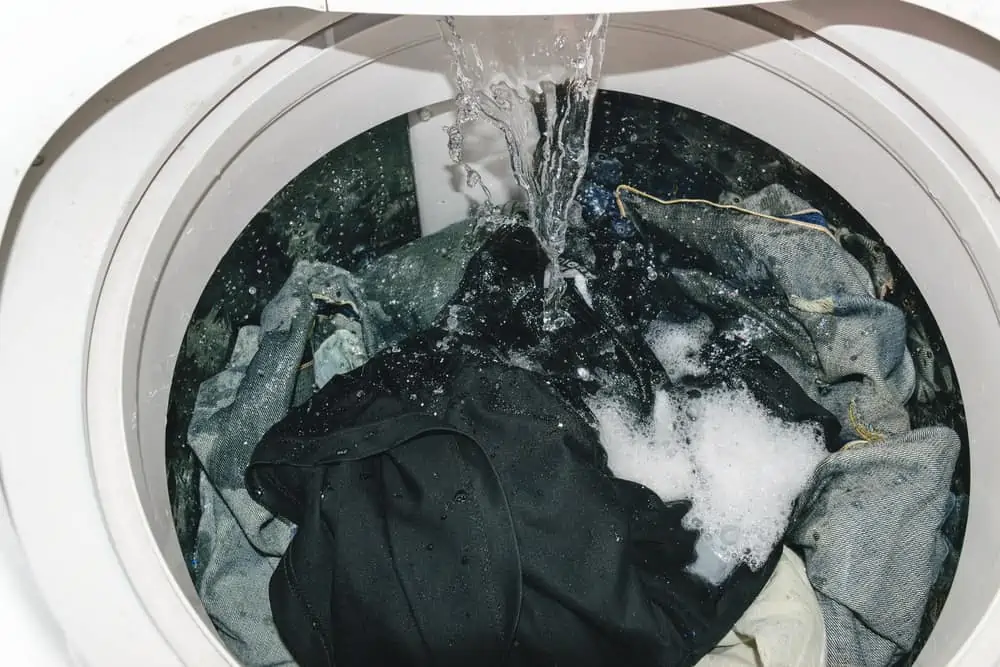
Leaking Water
Leaking water from your washing machine isn’t just annoying. It can damage the structure of your house if it’s not fixed quickly.
You will first need to check to see if the drain pump is damaged. If you see a crack or damage, you will need to replace the drain pump.
Also check the drain hose as it may leak, especially near the connection. If it’s leaking, you may need to replace the hose. Be careful not to damage the drain hose when you push or pull the washing machine against the wall.
The washer tub seal may leak water and cause bearing problems because the water leaks onto the bearings. So if you find that the tub seal is leaking, be sure to replace both the tub seal and the tub bearings.
The door boot seal may also be torn which will cause leaking. Replace the seal if needed.
Fills Slowly
When your washing machine is filling slowly, the first place to check is the water inlet valve. While it has a screen to keep debris out of the valve, sometimes it will clog. Look for clogs and remove all the debris you can find.
Make sure you clean the screens on both ends of the valve.
Check the water pressure of your home as well and confirm that it’s at least 20 psi. Otherwise, you won’t have enough pressure to fill your washing machine in a timely manner.
If these fixes don’t work, consider replacing the water inlet valve as it may be damaged.
Doesn’t Fill Up
When your washing machine doesn’t fill up, double-check the pressure of your house to be sure it’s at least 20 psi. In addition, check your water inlet valve to remove any clogs.
You may need to replace the water inlet valve if it’s defective.
Other Problems
Washing machines may also develop other problems such as leaving lint on clothes or developing a foul smell. Here are some fixes you can try to help solve the issue.
Leaves Lint On Clothes
Excess lint and hair showing up on your clothing is annoying.
The first remedies to try are to add an extra rinse cycle to remove the lint and hair. Also, use 1 cup of distilled white vinegar instead of fabric softener. The vinegar will help the fibers of your clothing relax and release any lint and hair on the clothing.
If these don’t work, clean your washing machine using the self-clean cycle. HE (high-efficiency) washing machines don’t use enough water to rinse away all the lint, so this will help to flush the excess lint from your machine.
Make sure you’re adding the correct amount of HE detergent to your washing machine for each cycle. HE detergent requires no more than 2 teaspoons to be added to every load.
Check to see if your water pump filter is clogged. You’ll need to follow the directions in your washer manual to access the water pump. Check to see if there’s lint, coins, buttons, or even a sock causing a slow drain that will leave lint on your clothing.
Smells Bad
A rotten egg smell means that you have a growth of bacteria, mold, and mildew in your machine. You will need to clean your washing machine to remove the odor.
If you discover a smell of burning rubber coming from your washing machine, turn it off immediately to prevent a fire. Then open up the panels of your washing machine. You’re looking for signs of discoloration or wear.
The rubber drive belt may have slipped causing friction and the burning rubber smell. If this is the case, you will need to replace it.
There may also have been an electrical issue with the motor, transmission, or control panel. If these parts are burnt out, they need to be replaced.
Do not use your washing machine until it’s been repaired. Otherwise, your washing machine may catch on fire.
How Long Does a Maytag Washer Last?
A Maytag washer will last for at least 10-11 years of normal usage. You’ll know when it’s time to consider replacing your machine when it’s no longer kind to your clothing, not big enough for your family, or too noisy.
Also, consider replacing it if the water is no longer draining from the drum or the drum doesn’t spin at the end of the cycle.
How Do I Reset My Maytag Washer?
Reset your Maytag washer by pressing the POWER/CANCEL button. Then push the button to choose a new cycle followed by pressing the START/PAUSE button. Your machine should be reset.
However, troubleshooting sometimes requires a master reset. To do this, first, unplug your washer from the power outlet. Leave it unplugged for 1 minute and then plug it back in.
Open and close your washer door 6 times quickly. You want to complete the 6 opens and closes within 12 seconds as this will send a reset signal to all the components and will reset your washer.
How Do You Run Diagnostics on a Maytag Bravos Washer?
Run a diagnostics on your Maytag Bravos washer by making sure the machine is plugged in and is in standby mode with the indicators off.
Choose one button on your washing machine’s console to push except the POWER/START/STOP buttons.
- Press and hold that button for 3 seconds and then release for 3 seconds.
- Press and hold the button again for 3 seconds and then release for 3 seconds.
- Press and hold the button for 3 seconds for the third time and then release.
If the diagnostic mode was successfully entered, all the indicator lights will glow for 5 seconds with 88 displayed on the time display.
If it didn’t work, then try again using a different button.
FAQs

Can You Reset a Washer By Unplugging It?
You can reset a washer by unplugging it. Remove the plug from the socket, wait 60 seconds, plug it back in, and lift the lid six times in a row to reset the motor.

How Do You Recalibrate a Maytag Washer?
The simplest way to recalibrate a Maytag washer is to disconnect the power and wait 60 seconds before plugging it back in. Finally, lift and lower the lid six times to reset the motor.

How Do You Manually Drain a Maytag Bravos Washer?
Manually draining a Maytag Bravos washer is easy. Disconnect the power, turn the water off, and then scoop the water out with a bucket or bowl. Finally, empty the drain hose.

Where is the Drain Filter On a Maytag Bravos Top Load Washer?
To find the drain filter on a Maytag Bravos top loader, lift the lid to reveal the drum agitator. The filter sits in the middle of the drum in top loading machines.

Why is My Maytag Washer Beeping When I Try to Start it?
The most likely explanation why your Maytag washer is beeping when you try and start it is a fault with the door. The machine detects this and starts beeping to warn you.
Maytag Bravos Washing Machine Troubleshooting
If you’ve run into Maytag Bravos XL washer problems or issues with other Maytag Bravos such as the Maytag Bravo MCT, then use this list of issues to help you start troubleshooting. Once you figure out what the problem is, you’ll be able to repair or replace the broken part.